Markdown Cleaner
Paste messy text, clean the obvious formatting sludge, and copy back sane Markdown or plain text — locally in your browser.
Markdown Cleaner is for the tiny cleanup jobs that somehow eat ten minutes: AI drafts with weird spacing, Google Docs paste soup, Slack and email leftovers, WordPress copy, invisible characters, cursed bullets, repeated blank lines, and headings that look like they got dragged through a hedge.
The point is not to make the writing brilliant. The point is to get the text back into a shape where editing can start without first performing archaeology on the formatting. Useful beats fancy; clean textarea in, clean textarea out.
Quick start: paste text below, choose Clean Markdown or Plain text, then copy the output. If you are cleaning a draft for publishing, run the result through the Heading Outline Checker next.
What it cleans
- Heading spacing: turns
###Headinginto### Heading. - Bullet weirdness: normalizes common pasted bullet characters into Markdown-friendly
-bullets. - Numbered lists: calms down pasted
1)or1.patterns into normal Markdown numbering. - Invisible/control characters: strips the tiny gremlins that make copied text behave wrong.
- Spacing noise: trims trailing spaces, repeated spaces, and excessive blank lines.
- Optional quote cleanup: normalizes smart quotes, curly apostrophes, long dashes, and ellipses when the checkbox is on.
What it looks like
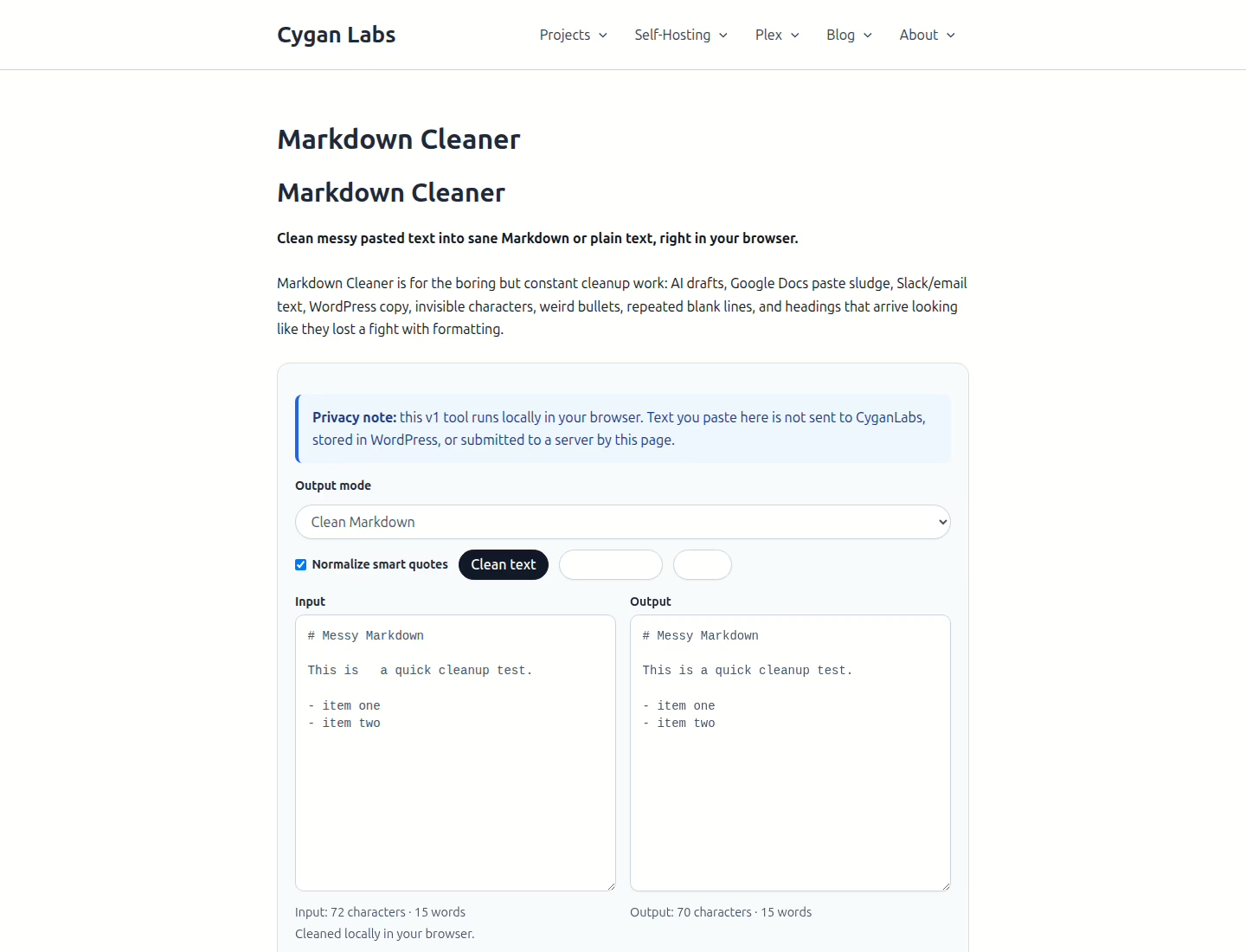
Choose the right output
Clean Markdown is the better default for blog drafts, documentation, README notes, runbooks, and anything heading/list-heavy. It keeps Markdown structure while removing the paste garbage around it.
Plain text is better when you want something calm enough to paste into an email, ticket, note, or chat message without bringing formatting baggage along for the ride.
When to use it
- Cleaning AI-generated drafts before a real editing pass.
- Turning Google Docs, Slack, email, or web-page paste into calmer text.
- Normalizing headings, bullets, spacing, numbered lists, and blank lines.
- Removing invisible/control characters that make text behave like it has a tiny curse.
- Switching between clean Markdown and readable plain text before publishing, filing, or sharing.
What it does not do
- It does not fact-check, rewrite, summarize, or improve the ideas. Bad thinking survives formatting cleanup. Annoying, but true.
- It does not convert complex HTML layouts, tables, footnotes, or embedded blocks into perfect Markdown.
- It does not inspect links, validate sources, or decide whether the cleaned draft is ready to publish.
- It does not store your text, create an account, or intentionally send pasted content to CyganLabs or an AI service.
- It does not replace editing. It just removes some of the formatting gravel from your shoe.
After cleaning
If you are preparing a publishable draft, skim the cleaned output like a human, then check the outline. Cleaner formatting makes problems easier to see; it does not magically make the structure good. That would be suspiciously convenient.
- Heading Outline Checker — see whether the draft structure makes sense.
- Link Cleaner — clean tracking junk from URLs before sharing or publishing.
- Tools — the rest of the small CyganLabs utility shelf.
- AI & Agents — practical notes on AI workflows, review, and not letting demo magic drive the bus.
Best next step: paste a messy sample into the tool above and clean it. If nothing changes, congratulations: the text was either already tidy or your chaos is more semantic than typographic.